Workflow demonstration · Practical AI in Action: IMS Agents Across the Order Lifecycle
Practical AI in action with IMS agents
How TechFoundry applies agentic AI to real operational work. Seven IMS demos connect document intake, order review, vendor workflows, shipping, and invoice reconciliation.
 Next.js
 React
React Node.js
 PostgreSQL
 Claude
 AWS
AWSWhat changed
- Order information reused across the workflow
- Catalog exceptions routed for review
- Shipping and invoice records connected
Practical AI starts with the work
A purchase order arriving in an inbox is a business event. Someone needs to read it, match its parts to a catalog, coordinate the vendor, ship the goods, and check the invoice. Each step depends on information captured earlier. That sequence gives AI a concrete job and gives the business a clear way to judge whether the software helps.
TechFoundry IMS is our example of this approach. It brings AI assistance into an operational platform, alongside document processing, application rules, and shipping integrations. The seven demos below show the platform working through specific tasks, with visible review points for prepared changes and unmatched catalog parts.
Give the agent a defined responsibility
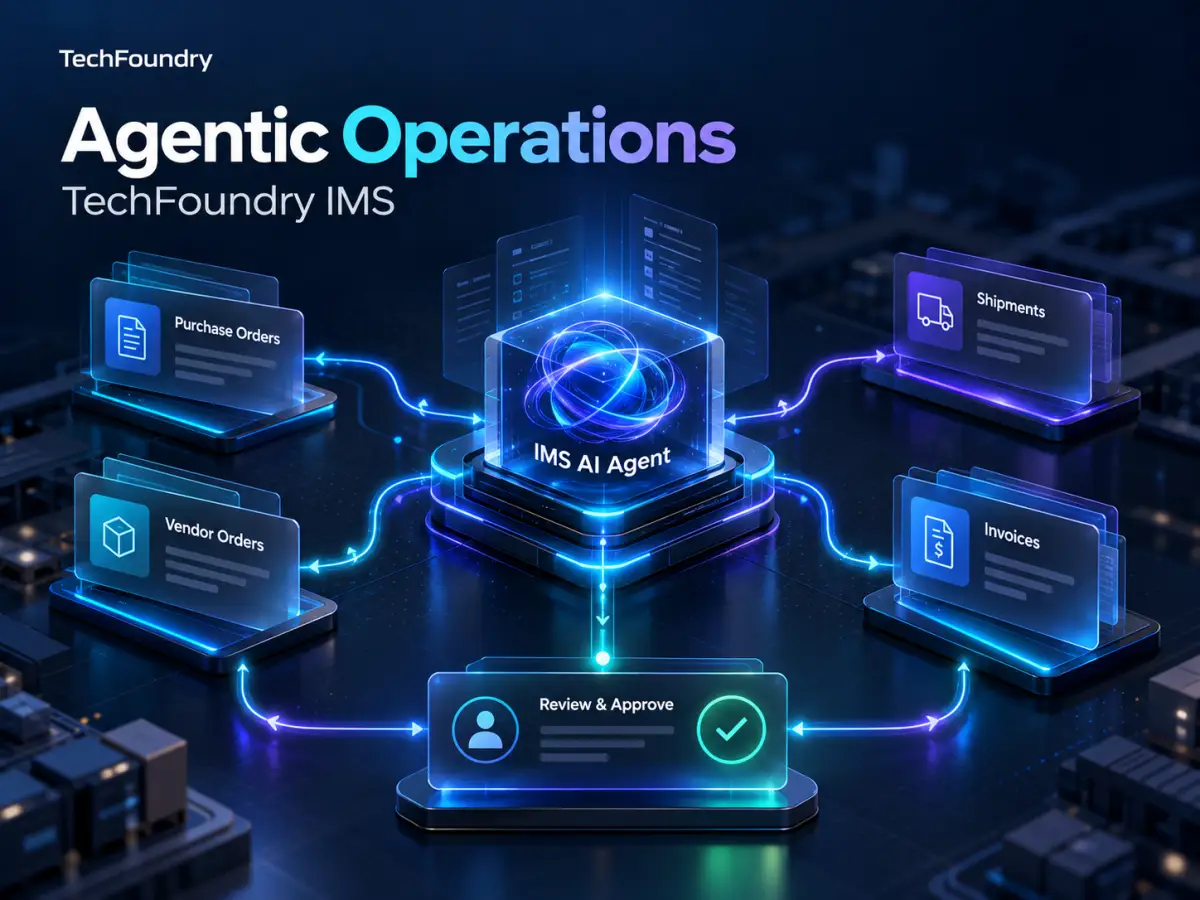
The useful question is what work an agent should prepare, which records it needs, and who can approve a change. In the IMS overview, the assistant follows a conversation across purchase orders, vendor orders, shipments, and invoice filing. It prepares the work and waits for approval before applying the changes shown.
The focused workflows then make each step concrete. An emailed purchase order becomes an order record. An unresolved part becomes a review task. A packing slip supplies shipment details. The agent works within the application’s operational context.
Connect interpretation to reliable actions
Reading a PDF is only the beginning. Its extracted part references need to resolve to catalog records. Quantities need to carry into the right order. Box details need to remain available when the shipment moves to the next stage. A practical AI solution connects interpretation to the software that manages the work.
IMS combines AI assistance with deterministic SAP equipment and part matching, administrator managed mappings, application permissions, and structured operational records. When a purchase order part cannot be matched, the conflict workflow gives the team a place to resolve it before fulfillment continues.
Technology and engineering
TechFoundry engineered IMS as a connected application with AI assistance alongside deterministic business rules. The technology stack supports the user interface, operational records, document workflows, and integrations.
- Frontend: Next.js and React.
- Backend: Node.js services on AWS.
- Database: PostgreSQL for application and operational data.
- AI: Anthropic Claude for document intake and reporting assistance.
- Integrations: Email, PDF processing, and UPS rates, labels, and tracking.
- Application controls: Multiple tenant accounts, permissions based on role, and deterministic SAP equipment and part matching with administrator managed mappings.
The engineering boundary matters. AI helps interpret documents and prepare work. Catalog validation, application permissions, and the review steps shown in the demos govern how that work proceeds.
The connected workflow
Client PO → Catalog review → Vendor order → Vendor shipment → Client shipping → Invoice reconciliation
The AI overview shows how the assistant works across several of these stages. The six focused demos then explain each operational step.
Demo 1: working across orders shipping and invoices
The overview follows one conversation through several operational tasks. The assistant reads a client purchase order PDF, matches it to the catalog, prepares a vendor order, creates a shipment from a packing slip, and files a vendor invoice against the relevant order.
The user reviews and approves the changes before they are applied. This makes the assistant useful across multiple steps while preserving a visible decision point for the person responsible for the work.
Demo 2: turning an emailed purchase order into a registered order
The intake demo starts with a purchase order received by email. IMS reads the document line by line, matches the parts to the catalog, registers the purchase order, and sends an acknowledgment to the client.
This connects the incoming document to an operational record and the client response. The order details captured here become the starting point for the workflows that follow.
Demo 3: resolving catalog mismatches before fulfillment
An incoming purchase order may contain a part that the system cannot match to the catalog. IMS flags that line as a conflict and prevents the order from progressing until the mismatch is resolved.
The team can inspect the unresolved part, search the catalog, and link the correct item before fulfillment continues. Exception handling is part of the workflow, giving people a clear place to review a match that requires judgment.
Demo 4: creating a vendor order from the client purchase order
Once the client order is ready, IMS populates vendor order lines and quantities from the purchase order. The user can review suggested delivery dates and scheduling warnings, activate the vendor order, and notify the vendor.
The workflow also supports warehouse delivery or direct shipping to the client. Order planning stays connected to the procurement step, so the vendor order builds on information already captured at intake.
Demo 5: converting a packing slip into a tracked shipment
A vendor packing slip PDF supplies the next set of operational details. IMS reads the document and matches boxes, parts, quantities, and weights to the vendor order.
Adding the courier and tracking information activates the shipment. The demo also shows shipment tracking updates, connecting the vendor document to a record the team can follow as the goods move.
Demo 6: reusing box details for UPS rates labels and tracking
For an order shipping from the warehouse to the client, IMS reuses box details from the vendor warehouse receipt. The user can compare live UPS services and rates, create shipping labels, and track the boxes.
Receiving and outbound shipping remain connected. The same box information can support the next shipment rather than requiring the team to reconstruct it in a separate shipping workflow.
Demo 7: checking invoices against orders and received quantities
The invoice demo brings the financial document into the order workflow. IMS reads vendor invoice lines and prices and lets the user review amounts in USD and CAD.
The reconciliation view compares ordered, received, and invoiced quantities. This gives the reviewer the context needed to identify differences across the three records. Prices and totals can also be masked during screen sharing when the team needs to discuss the workflow without displaying those amounts.
Conclusion: build AI that earns its place in the workflow
TechFoundry IMS makes the case for practical AI: technology built around real operational work. These seven demos show AI helping teams read business documents, prepare orders, resolve catalog exceptions, coordinate shipments, and reconcile invoices within one connected workflow.
Useful agentic AI needs reliable integrations, clear validation, and human review where judgment matters. IMS brings those elements together so AI assistance can become part of everyday operations. Our approach starts with a concrete business problem, builds around the people doing the work, and evaluates success through measurable operational improvements.
Let’s build your agentic AI workflow
Looking for agentic AI development? Reach out to TechFoundry. We would love to work with you. Whether you need AI agents, document automation, or software that connects your business workflows, we can help turn your idea into a working solution.
Request a free initial consultation
Tell us what needs to work better, which systems are involved, and where your team needs to stay in control. We will help you identify a practical starting point.
How to engage with us
Good work starts
with a conversation.
Tell us what you want to build or improve, and we will come back with a practical next step rather than a sales sequence.
Teams we have worked with
Read client feedback ↗